Powered by Blogger.
 

Monday, 6 August 2012

How To Blend Textures With Photos In Photoshop

0 comments


In this tutorial, we'll learn the basics of using Photoshop's layer blend modes to blend a texture with a photo, a simple yet powerful way to give an otherwise ordinary image more of an artistic and creative edge. We'll learn how to quickly cycle through the blend modes so we can choose the one that works best, how to blend only the brightness values of the texture so the photo can keep its original colors, and how to invert the brightness values to create a different result.

Fly High – Light Effects Tutorial + Video In Photoshop

0 comments


In this tutorial I will show you how to create a beautiful abstract artwork using light effects, a few fractal images, a custom brush and some cool post editing techniques.

5 Easy Photoshop Photo Effects

0 comments


Retouch your photos with these five easy photo effects! These Photoshop video tutorials will show you how to create some of the most popular photo effects using professional non-destructive editing techniques. You'll need Photoshop CS4 or newer to follow these tutorials

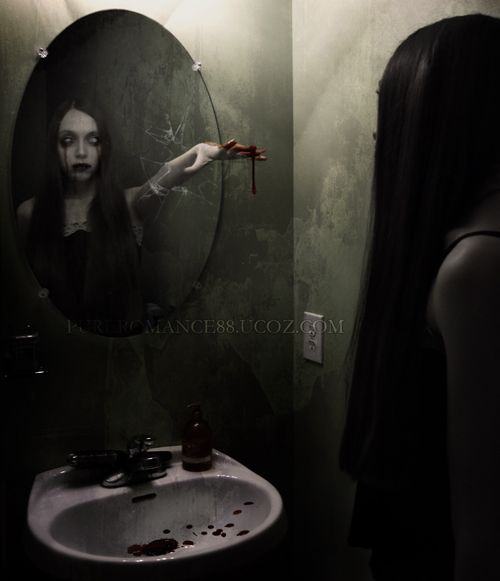
The Mirror - Dark and horror photo manipulation in Photoshop

0 comments


In this tutorial i will show you how to create a dark and horror photo manipulation called "The Mirror". We will turn a girl into a zoombie, make blood, break glass, arrange elements and adjust color to generate an interestingly creepy scene.

Shooting Sky Creating an Archive and Blending to Enhance Washed Photos in Photoshop

0 comments

In this tutorial you will learn how to create an archive and blending to enhance washed photos.

Pure White Portrait Retouch in Photoshop

0 comments


Learn how to whiten skin and hair in this quick Photoshop tutorial.